





REAL-TIME CAN-BUS DIAGNOSTICS · VEHICLE + BENCH
Advanced Vehicle CAN-BUS Controller
Go beyond the code: see the live CAN traffic behind every fault. Read ECUs, request PIDs, read and clear DTCs, and practice fault-finding on the bench. Includes 1 month of AI Diagnostic Suite free.
✓ Advanced Vehicle CAN-BUS Controller (hardware)
✓ Software PRO Edition: real-time diagnostics, no license required
✓ 1 month AI Diagnostic Suite (DTC analysis)
✓ CAN-BUS technical book
✓ OBD-II cable + J1939 connector
✓ 2 USB-C cables
In stock! Ships within 1-2 business days.
Free Shipping in the U.S.
Advanced Vehicle CAN-BUS Controller
Industry & Education Partners
Working together to support hands-on vehicle network technology in technical education


Step 1 · Connect to a real car
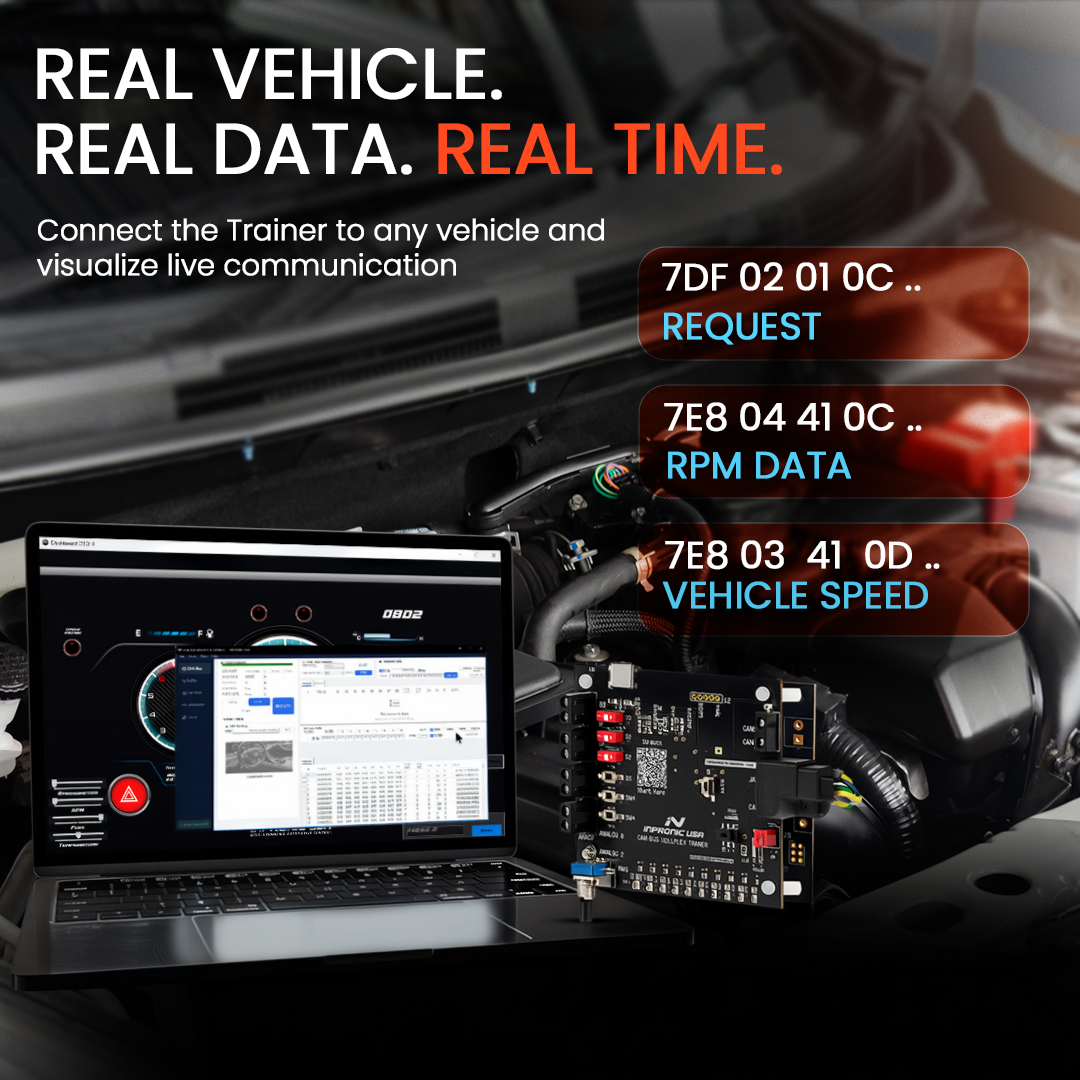
Plug into a car. Read it live.
Connect the OBD-II cable and watch RPM, speed, coolant temperature and engine load update in real time, with the raw CAN bytes behind every value.

Step 2 · Move to a heavy-duty truck
Same controller. Heavy-duty trucks.
Switch to the J1939 connector and monitor live data from the truck's ECUs. No second tool, no extra license.

Step 3 · Practice the fault on the bench
Inject a fault. Watch the network react.
Inject OBD-II and J1939 fault codes and watch them appear on the matching simulation dashboard: a car dashboard for OBD-II and a heavy-duty truck dashboard for J1939. Clear the fault and do it again. Learn the diagnosis on your bench before you touch a customer's vehicle.
Free shipping in the U.S.

DIAGNOSE WHAT THE SCANNER CAN'T SHOW
A scan tool shows a code. The Controller shows the network behind it: which ECU is talking, what it sends, and where communication breaks.
One purchase. Hardware + Software + AI.
In the video: a VIN request sent on the CAN bus, filtered to the engine ECU (ID 7E8), with the raw response frames that carry the VIN.
ONE CONTROLLER · FOUR PROTOCOLS
Everything it can do
Read live vehicle data
Request PIDs and monitor RPM, speed, coolant temperature, throttle, fuel level and battery voltage (OBD-II), or engine speed, oil pressure and engine load (J1939).
Read, generate and clear DTCs
Work with fault codes on the vehicle, or create them on the bench to practice the full fault-finding process.
Sniff, filter and decode
Isolate frames by ID or data byte, decode PGNs and SPNs, filter by ECU address and discover every ECU on the network.
Inject faults and simulate
Run a two-node CAN network on your desk and inject OBD-II and J1939 faults, abnormal values or communication interruptions.
Log, export and replay
Record every frame with timestamps, export to CSV and replay sessions to study exactly what happened.
Build frames and automations
Create custom frames, send them once or periodically, build live dashboards and set IF/THEN rules with Go Training mode.

What's in the box
Everything you get, in 38 seconds.
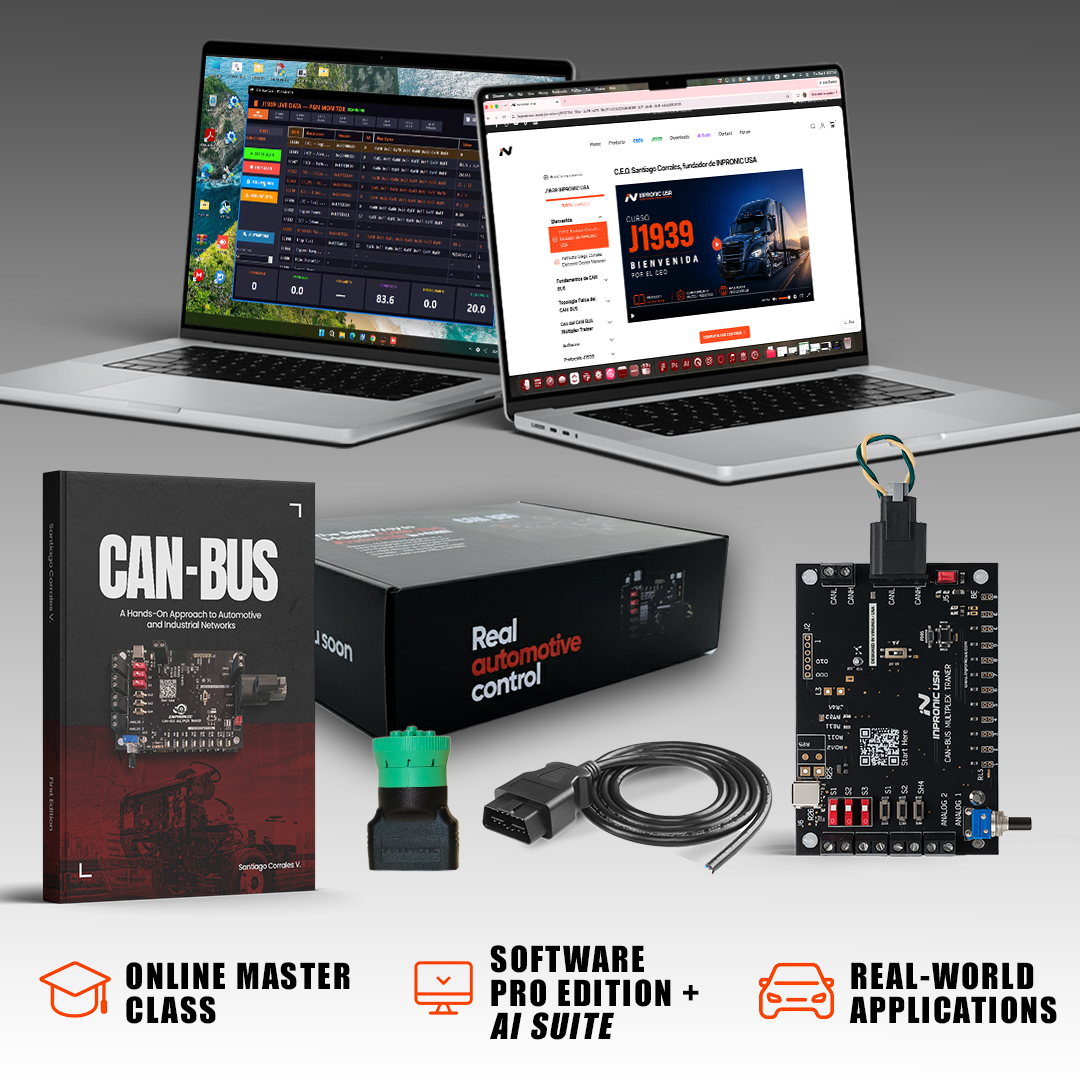
The Controller, the Software PRO Edition, the CAN-BUS guidebook, the OBD-II cable and the J1939 connector. Ready to use on the bench and on the vehicle.
OBD-II · J1939 · CANopen · NMEA 2000
Cars, vans and light trucks (OBD-II) · Heavy-duty trucks, buses, agricultural and construction equipment (J1939) · Industrial automation (CANopen) · Marine (NMEA 2000). 250 kbps, 500 kbps or custom baud rates.
Everything you get
- Advanced Vehicle CAN-BUS Controller (dual-board CAN network hardware)
- Software PRO Edition (CAN monitoring, transmission, filtering, dashboards and simulation)
- AI Diagnostic Suite (AI to unlock your vehicle data)
- CAN BUS Technical Book (Reference material for theory and practice)
- OBDII Cable (Connect compatible automotive CAN networks)
- J1939 Connector (Work with heavy-duty CAN communication)
- 2 USB Type C Cable (Power and data to connect hardware + software)
What you can diagnose
From live data to the root cause. Work the same way on the bench and on the vehicle.
- Read live ECU data and PIDs (OBD-II and J1939)
- Read, generate and clear DTCs
- Discover the ECUs on the network and see who is talking
- Inject OBD-II and J1939 faults on the bench, see them on the simulation dashboards and trace them
- Activate actuators and watch the network respond
Complete set: one system, two environments
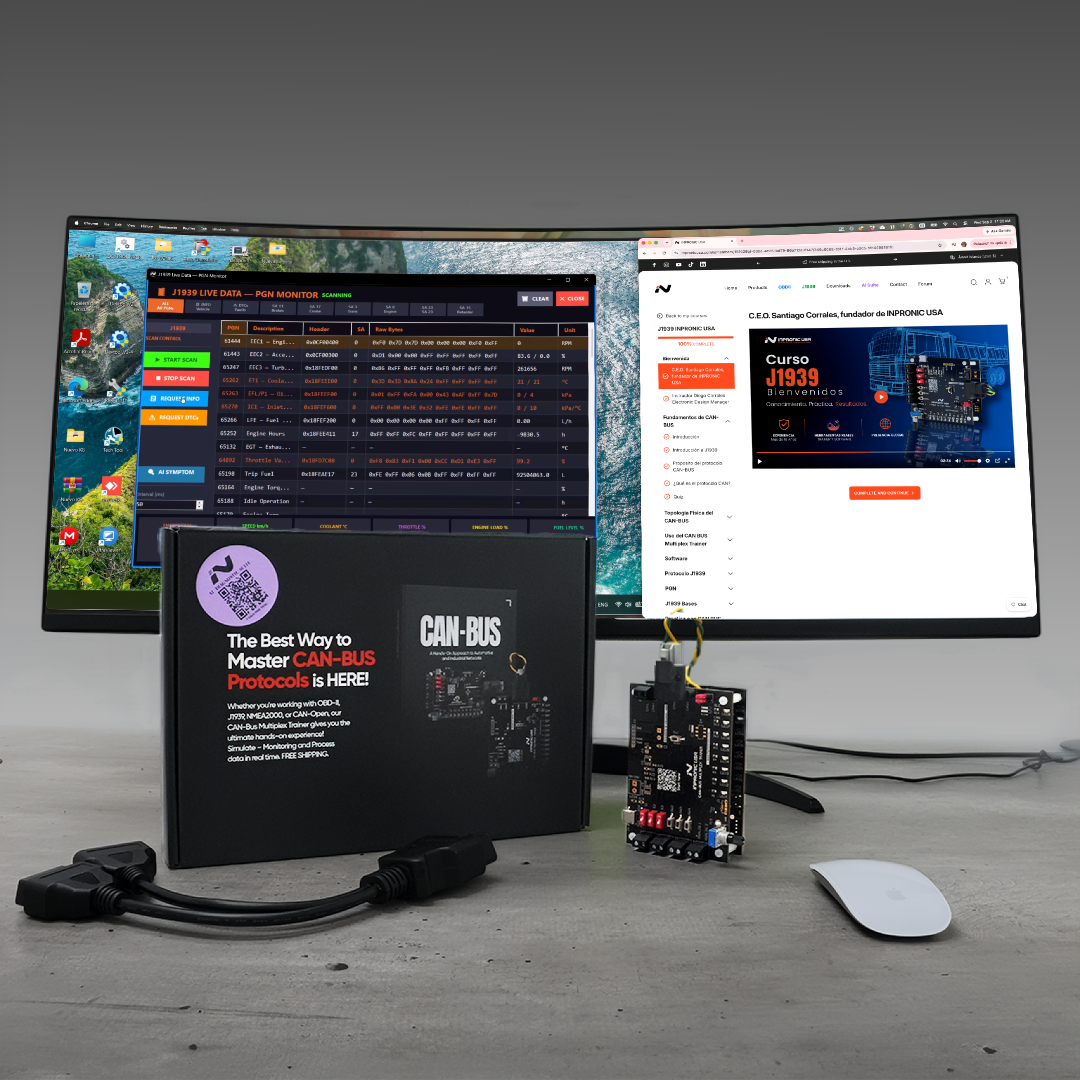
Advanced Vehicle CAN-BUS Controller. Generate, transmit, receive, filter, and analyze CAN messages in a controlled training environment. Turn theory into hands-on experience.
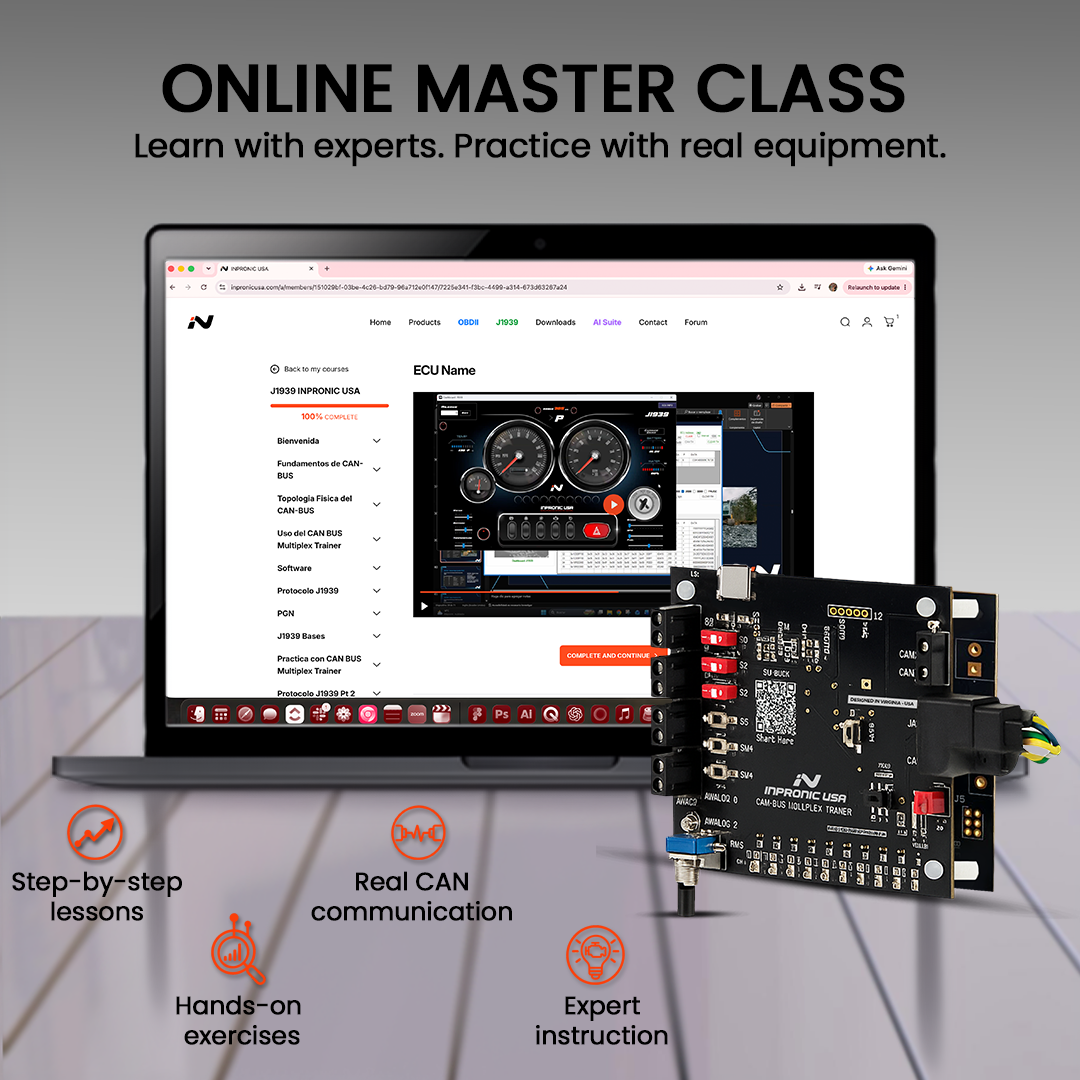
INPRONIC AI Diagnostic Suite. Use AI-guided tools to work with OBD-II and J1939 data, explore vehicle parameters, analyze DTC information, and follow a more structured diagnostic workflow. 1 month included with your package.

Watch the full demo
From the box to the vehicle. One controller.
Unbox it, practice on the bench, plug into a car, then read a heavy-duty truck. This is what your first day with the Advanced Vehicle CAN-BUS Controller looks like.
Customer reviews
Built for the classroom and the shop
One repeatable lab for every student
Two boards create a real two-node CAN network on any desk, so every student can practice diagnostics without a vehicle in the classroom.
From the lab to the truck
Students practice faults on the bench, then connect to a real vehicle with the same tool.
Schools and fleets
Need a quote or purchase order? Email sales@inpronicusa.com or call +1 804 928 1824.
FAQs
Please read our FAQs page to find out more.
How can I install the software?
You can scan the QR code that comes with your KIT and follow the steps
Is this a scan tool?
It goes further. A scan tool reads codes; the Advanced Vehicle CAN-BUS Controller shows the live CAN traffic behind them, lets you request PIDs, read and clear DTCs, and simulate faults on the bench. It is designed for training, lab and diagnostic practice, not for permanent installation in a vehicle.
Can it connect to a real vehicle?
Yes. The Controller can operate in:
- Desktop dual-node simulation mode
- Real vehicle connection mode using OBD-II or J1939 cables
On a real vehicle you can read live data, diagnostic messages and DTCs directly from the CAN network.
Does the software require a license?
No. The Software PRO Edition is included and does not require subscription fees or license activation.
Does the Controller simulate real CAN network behavior?
Yes. The dual-board system creates true two-node CAN communication, allowing users to observe arbitration, priority, termination resistance, and real message exchange.
Which vehicles and protocols does it support?
OBD-II (ISO 15765-4) for cars, vans and light trucks; SAE J1939 for heavy-duty trucks, buses, agricultural and construction equipment; CANopen for industrial automation; and NMEA 2000 for marine. Supported baud rates: 250 kbps, 500 kbps or custom.
What do I need to run it?
A Windows 10 or 11 (64-bit) computer with a USB-C port, 4 GB of RAM (8 GB recommended) and 200 MB of free space. No drivers are needed.
Who is it for?
Automotive and heavy-duty technicians, instructors, schools and training centers, fleets, students and engineers who want to understand and diagnose vehicle networks.
If you have any questions, you are always welcome to contact us. We'll get back to you as soon as possible, within 24 hours on weekdays.
-
Shipping Information
Free Shipping in the U.S.
-
Customer Support
If you have any questions, feel free to contact us through the chat on our website.
-
Contact Us
You can contact us through the chat on our website.